
Option 1: Delete your account in the app
Step 1
Open the AEDC Mypower App and log in with your registered credentials.
Step 2
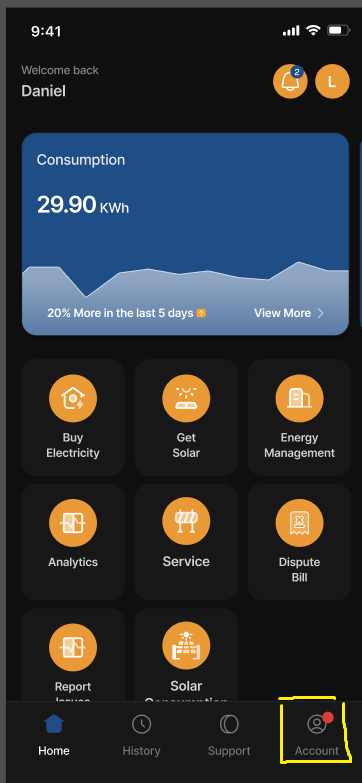
Go to the Account tab in the bottom menu.
Step 3
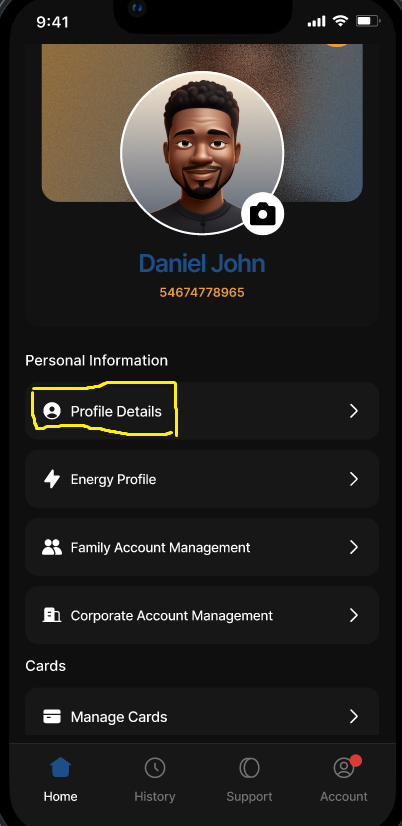
On the Account page, tap Profile Details.
Step 4
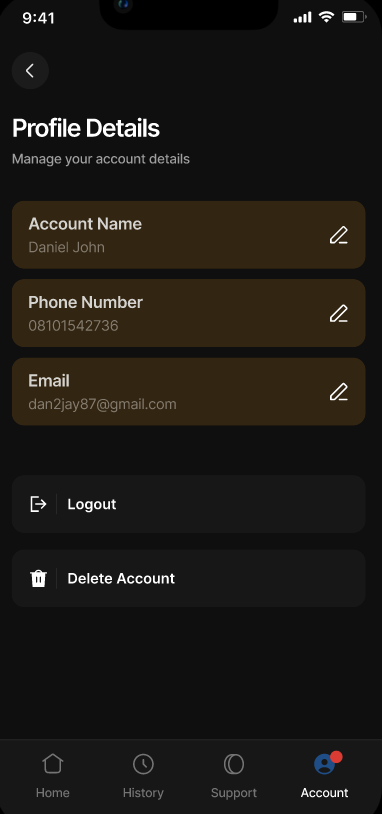
On the Profile Details page, tap Delete Account.
Step 5
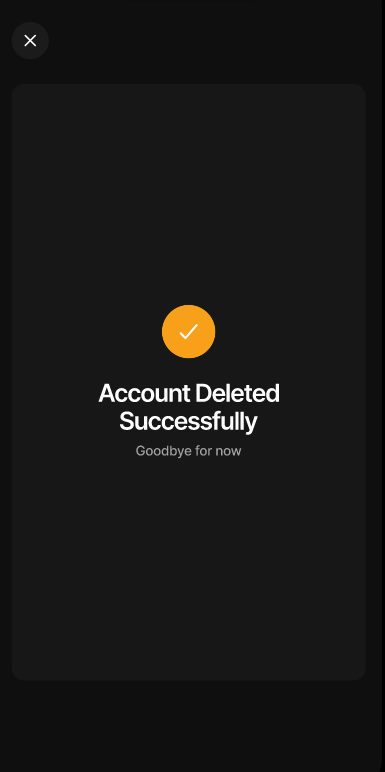
Tap Yes to confirm. Your account is deleted and you will see a confirmation screen.
Note: an account with a positive wallet balance cannot be deleted. Use or withdraw your wallet balance first, or contact support.
Option 2: Request deletion by email
If you can no longer access the app, email support@bpsafrica.com from the email address registered on your account, with the subject "Delete my AEDC Mypower App account", and include the phone number registered on your account. We will reply by email once your account has been deleted.
Data that is deleted
When your account is deleted, the following data is removed from the AEDC Mypower App:
- Your profile: name, phone number, email address and profile photo
- Your login credentials and transaction PIN
- Your energy profiles and the meters linked to your account
- Your saved payment cards
- Your family and corporate account memberships
- Your notification settings and device tokens
Data that is retained
Some data must be kept after your account is deleted:
| Data | Why it is kept | How long |
|---|---|---|
| Payment and transaction records (electricity purchases, bill payments, wallet transactions) | Financial, tax and regulatory record-keeping obligations | As long as required by applicable law |
| Records needed to handle open disputes, refunds or fraud investigations | To resolve the dispute or investigation | Until it is resolved |
Your electricity customer account and meter records held by AEDC as your electricity distributor are not part of the app and are not affected by deleting your app account.
Contact
For questions about deleting your account, email support@bpsafrica.com.